Split My Bills
Project Overview
Split My Bills is a web application that allows users to split their bills with their friends. It was a project that my friends are in need of from the UI/UX perspective. Splitwise was useful but it was too complicated and a lot of unnecessary features for us to use. So, I created this project to help ourselves split the bills within each other. I take pride in this project as I worked from start to finish, from designing the UI/UX to testing and releasing the app. My friends also helped me with the feedbacks and suggestions for improving the app.
Technologies Used
Insigit into Split My Bills App
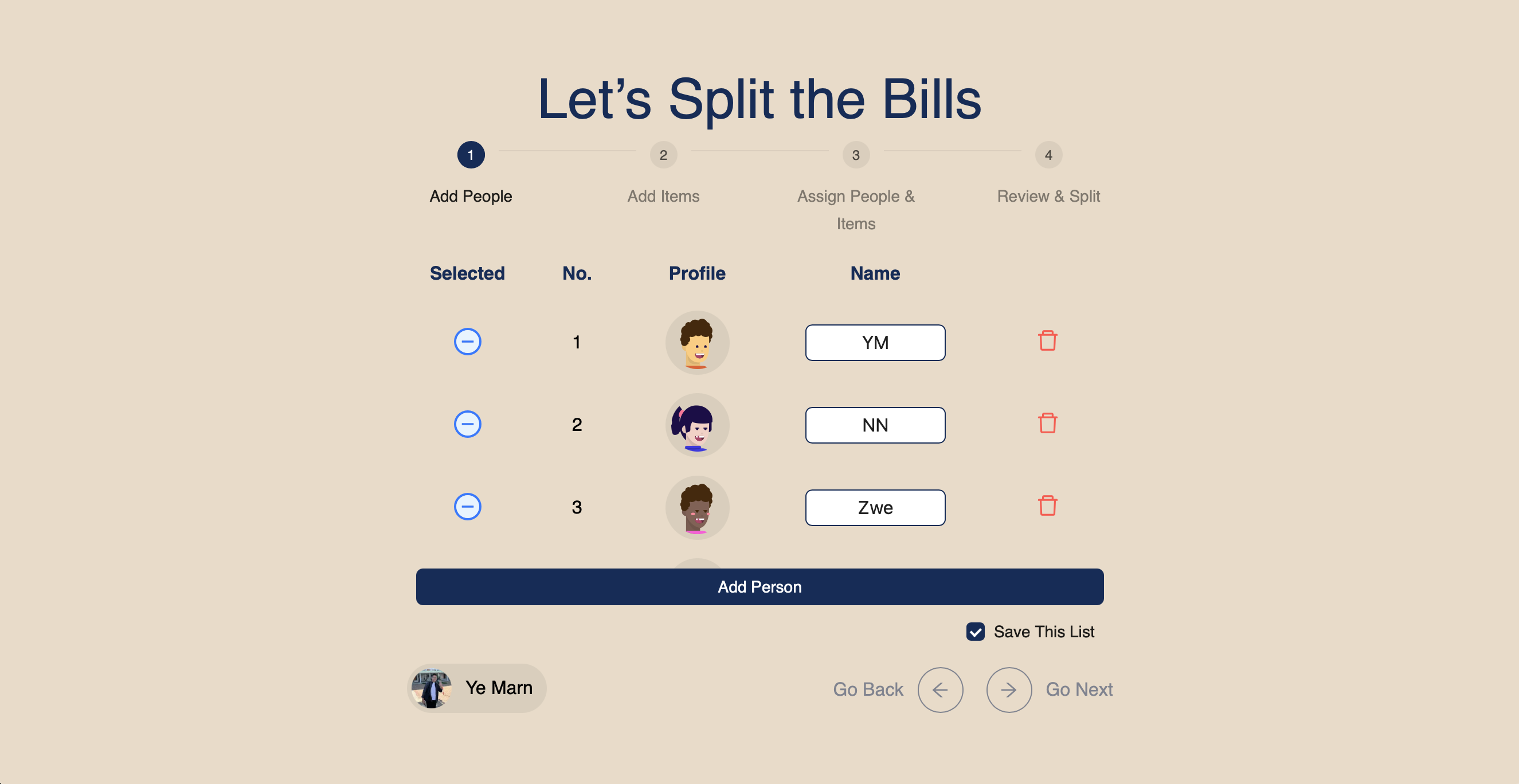
Step 1: Add or save your friends or family members. You can add all of your friends or family members. For each splitting, you can select the subset of friends or family members. If you click save, it will show up again next time you open the app.
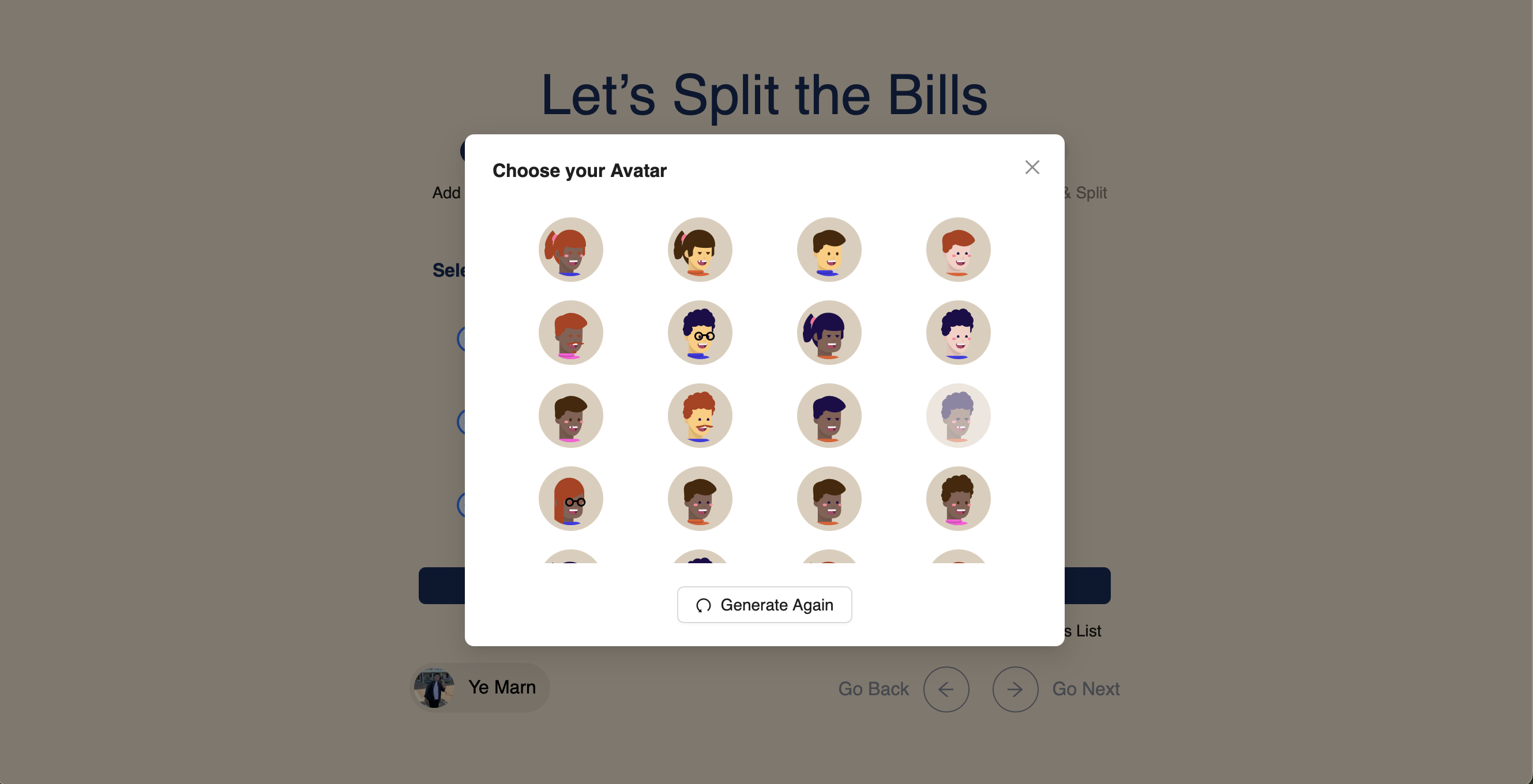
Step 1: You can change the avatar for each person. If you don't like the list of avatars, you can generate again.
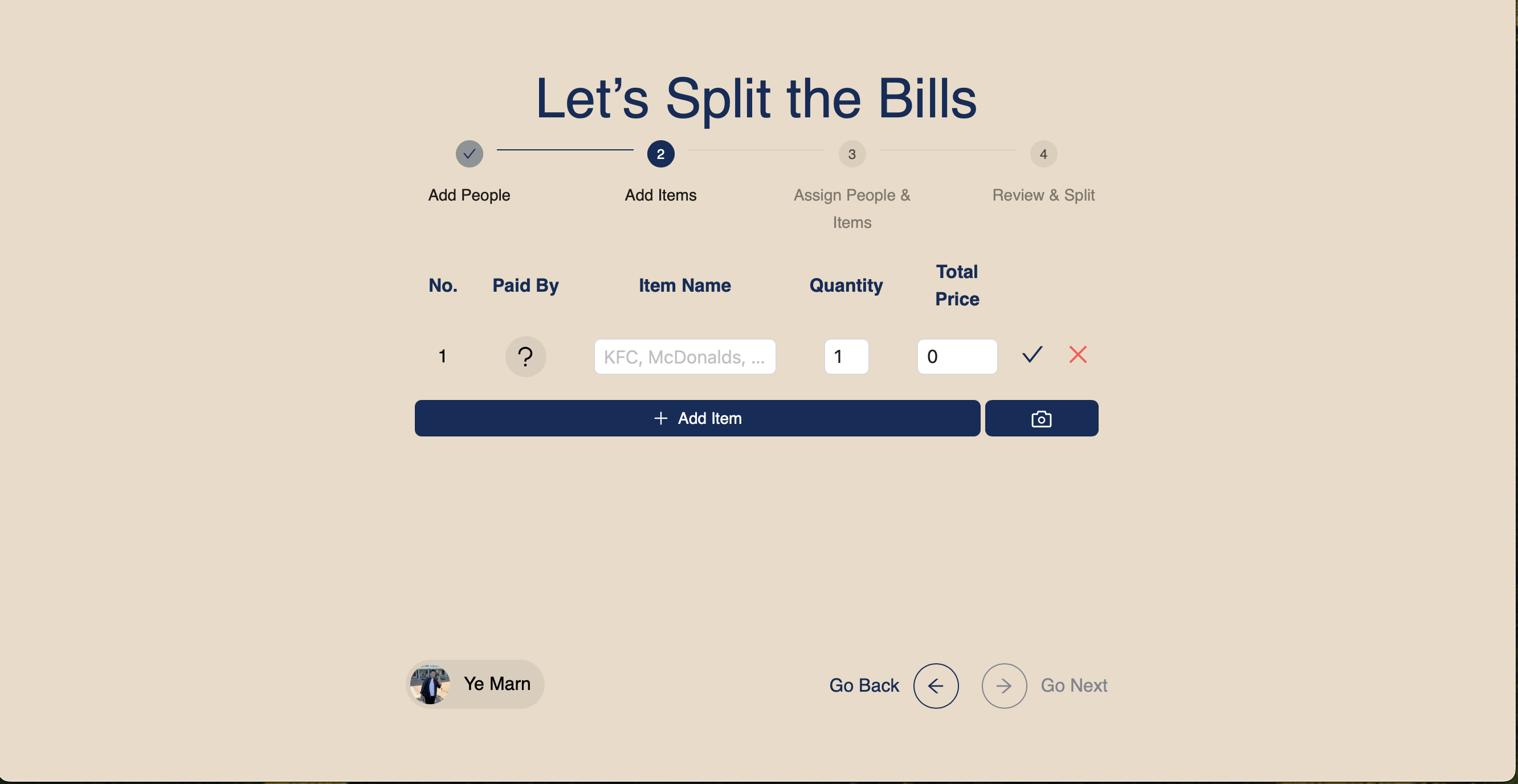
Step 2: Add the items for each bill.
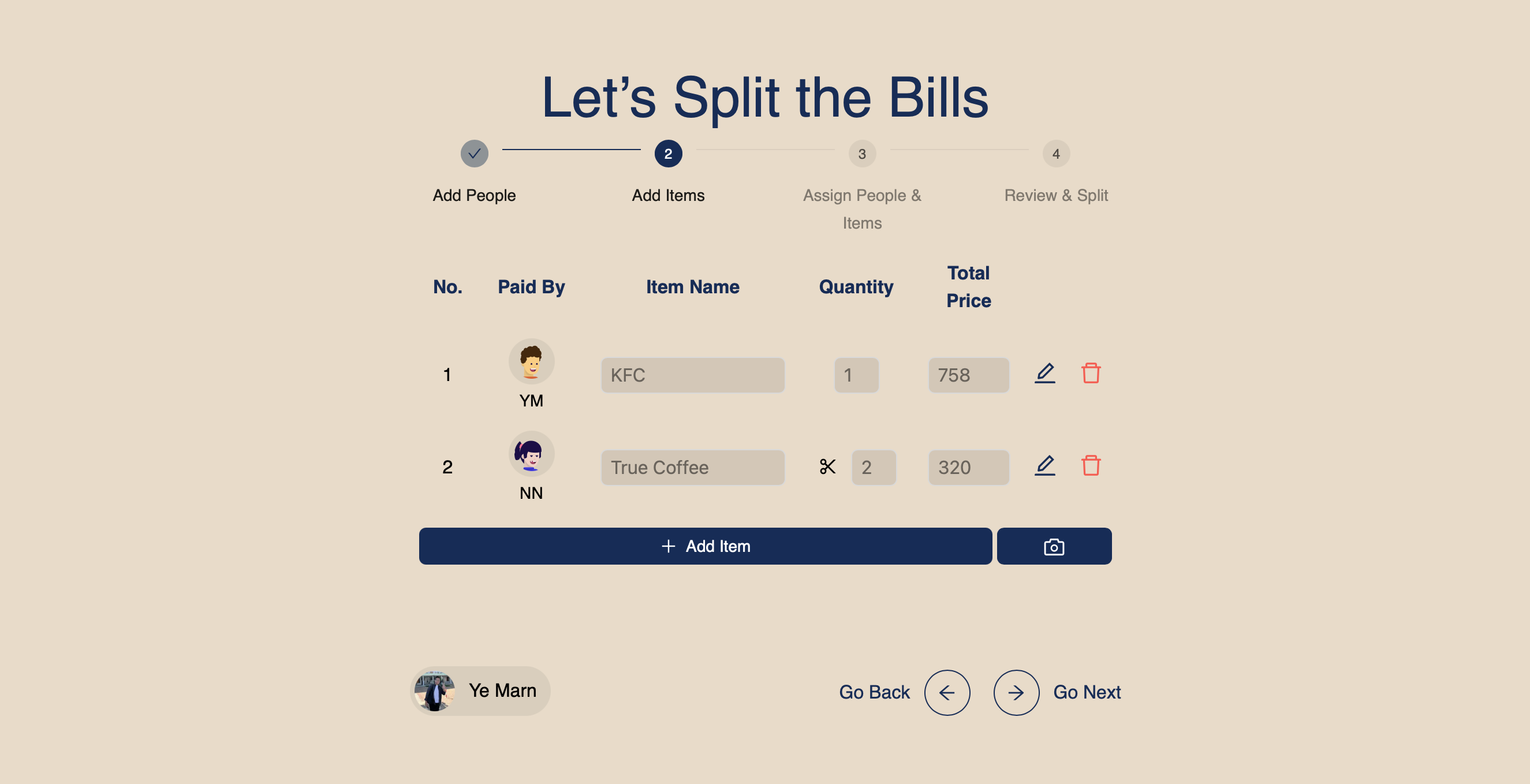
Step 2: Add the items that you want to split for each bill. You can input manually or scan the receipts with AI and generate the items.
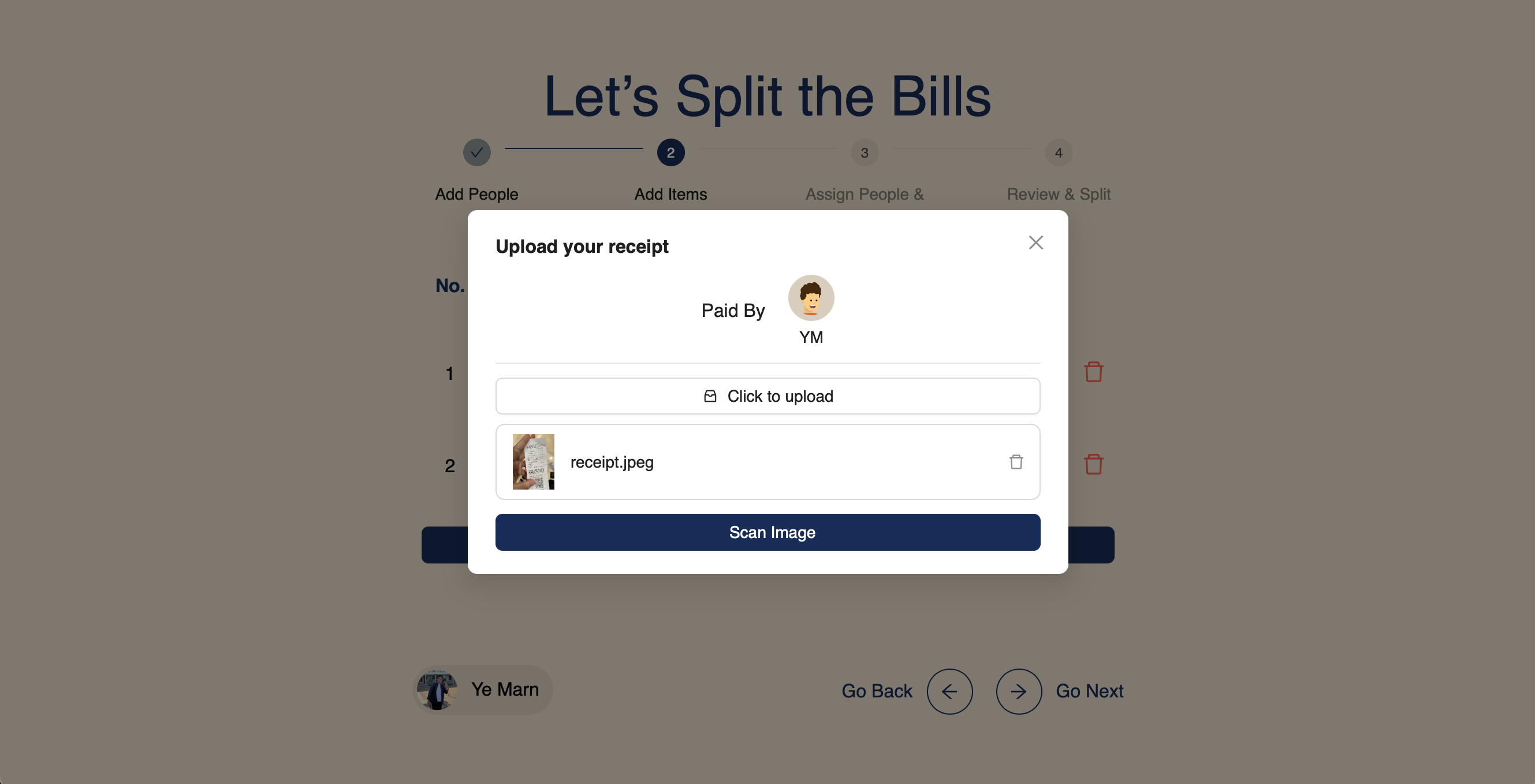
Step 2: You can scan the receipts with AI and generate the items. Click on the Camera icon to scan the receipts. You can take photo directly or upload the receipt to scan. After scanning, you can confirm the items beofre adding into the bill.
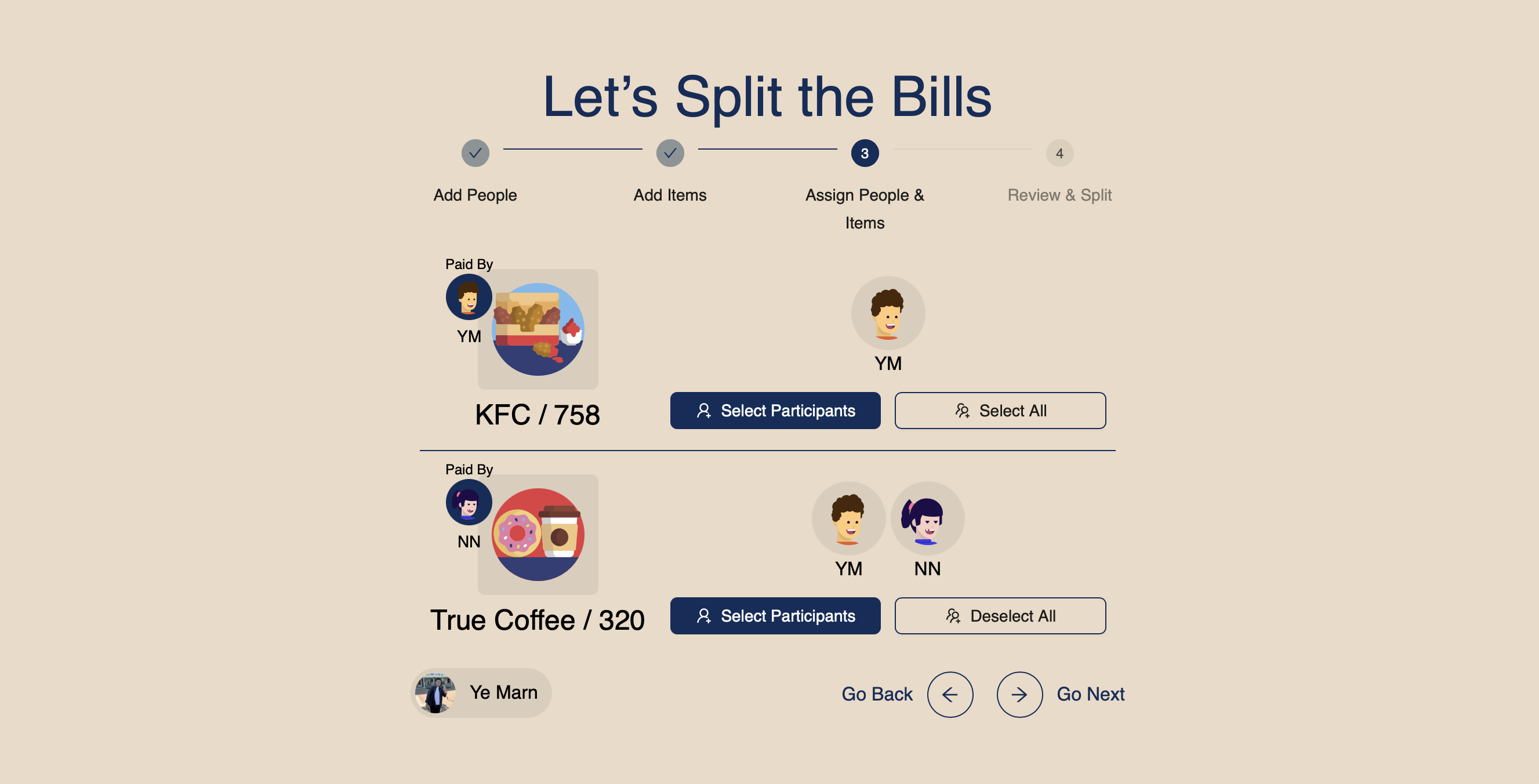
Step 3: Select the participants for each Item. Item can be food dishes, drinks or your transportation fees as well. You have the option to select all participants or individual participants.
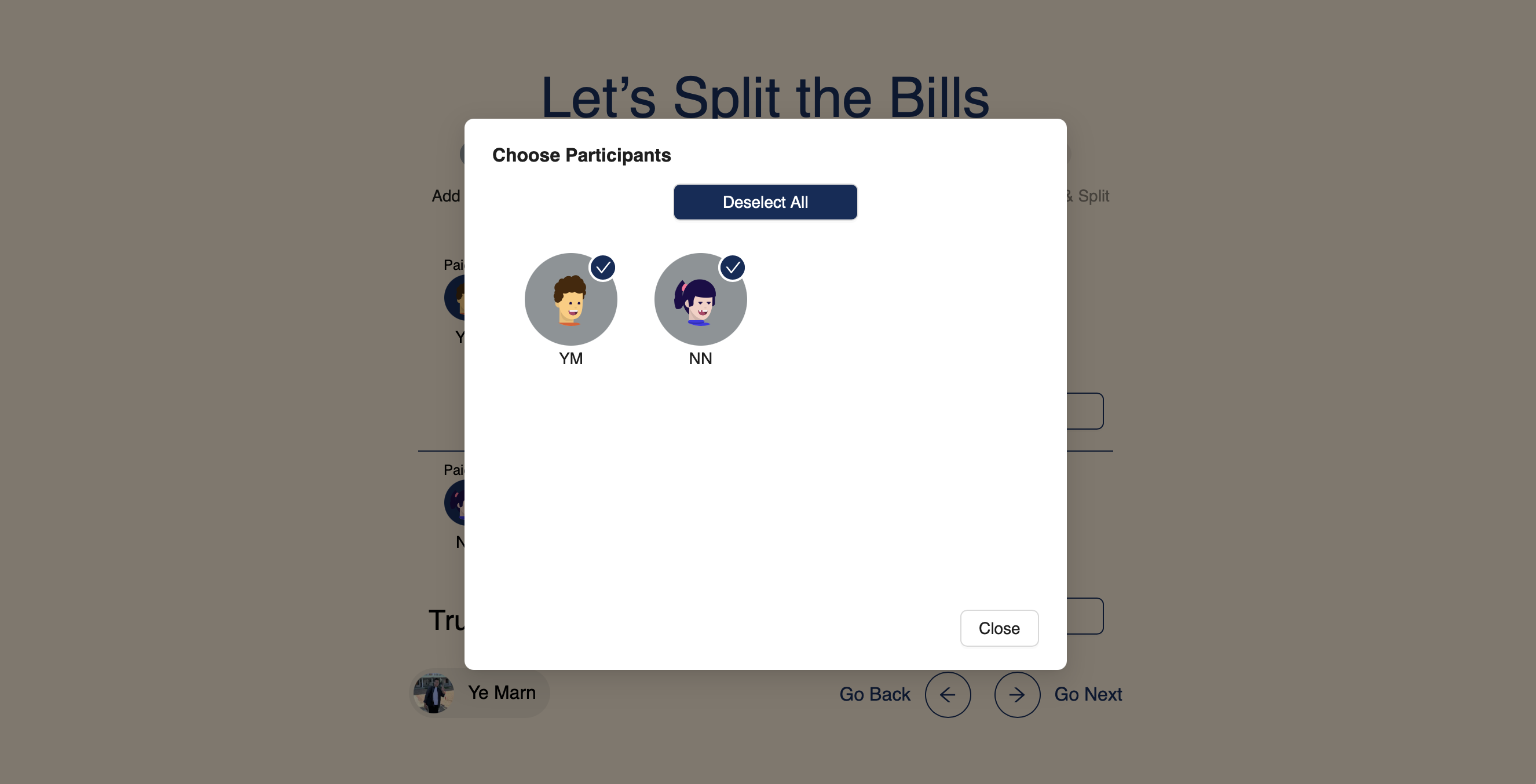
Step 3: Selecting participants for each item.
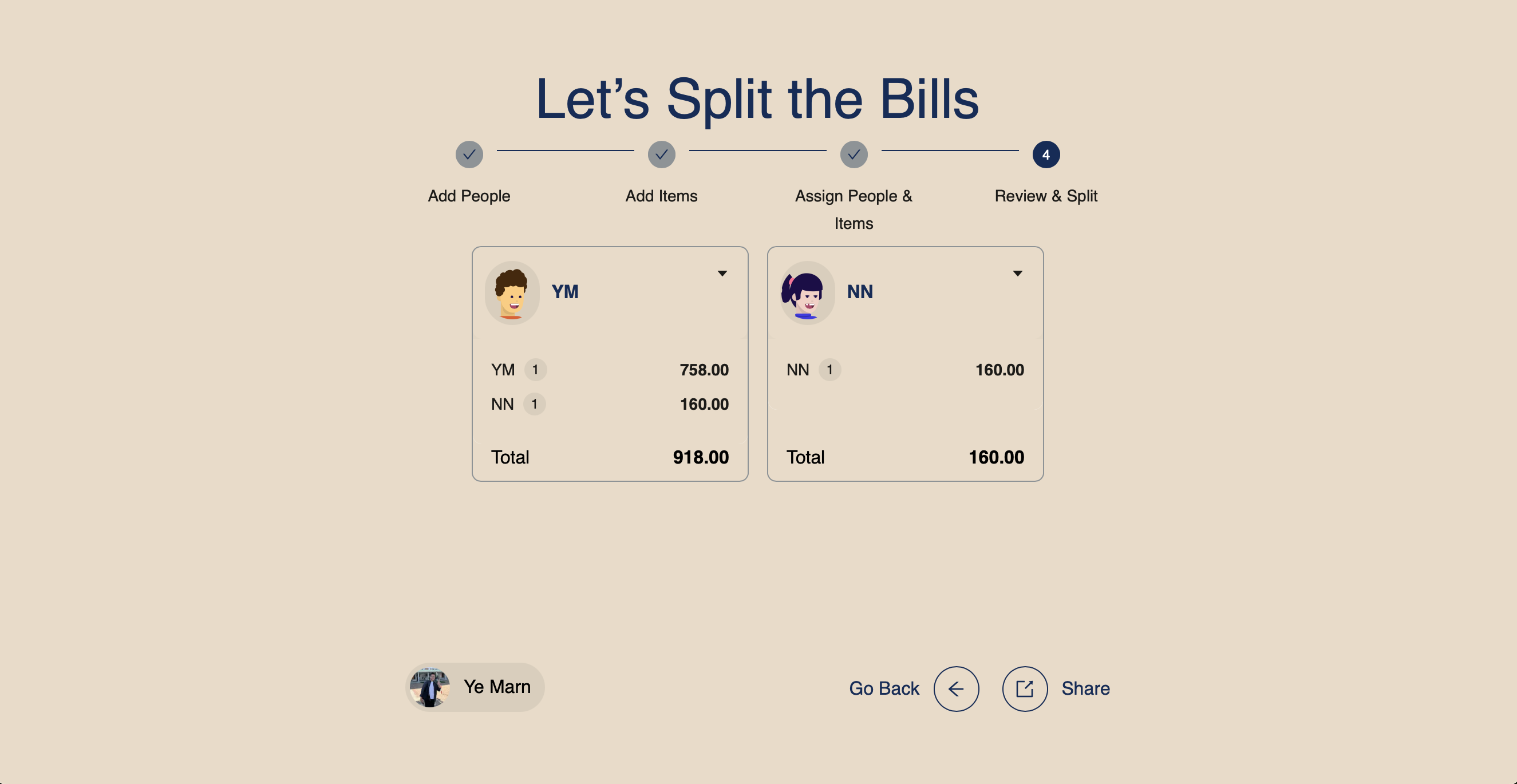
Step 4: Now you can see the total amount for each participant. You can also see the details of each participants and the items that they took in.
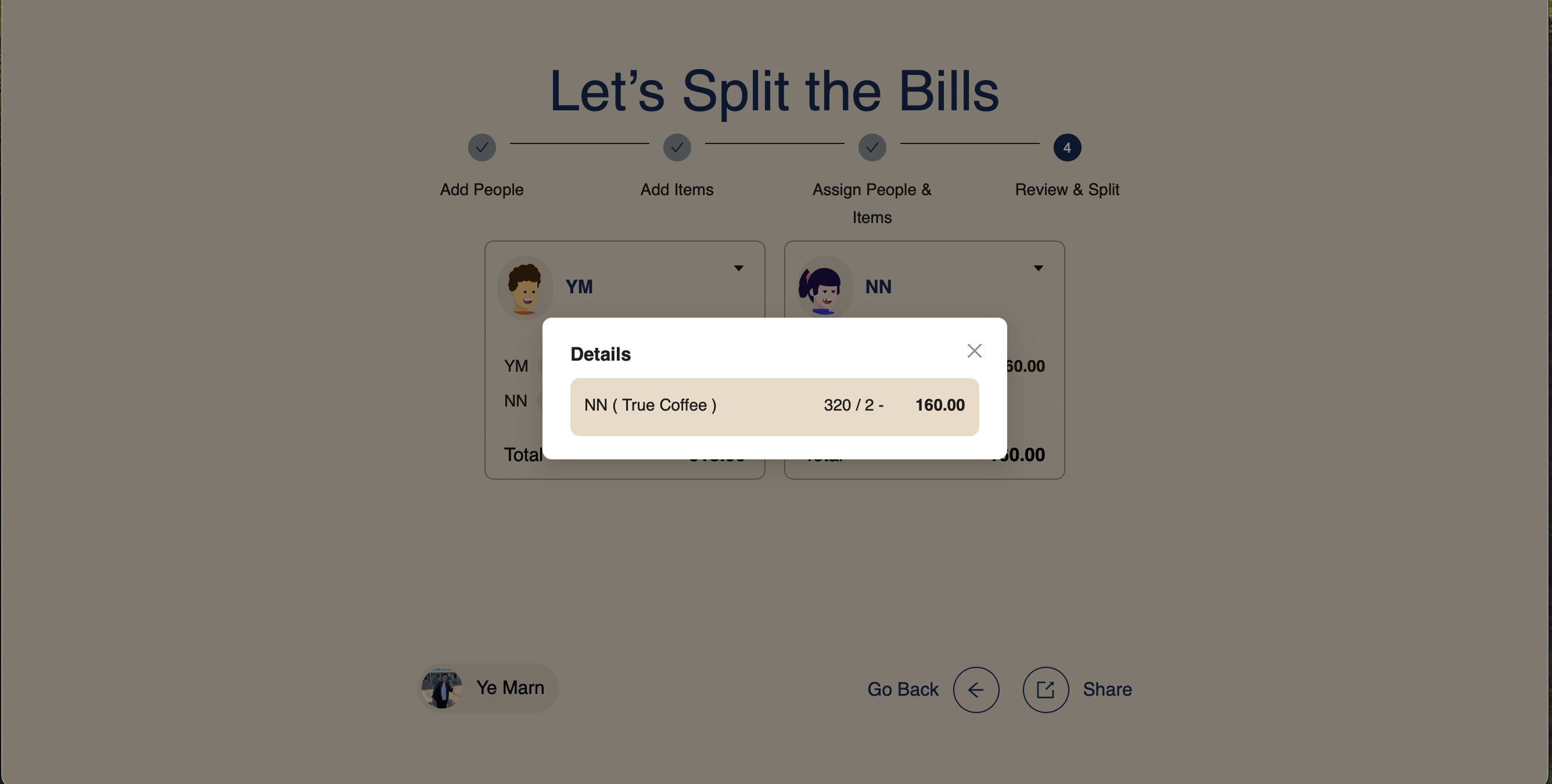
Step 4: See the details of each person by clicking on the Number Circle Icon.
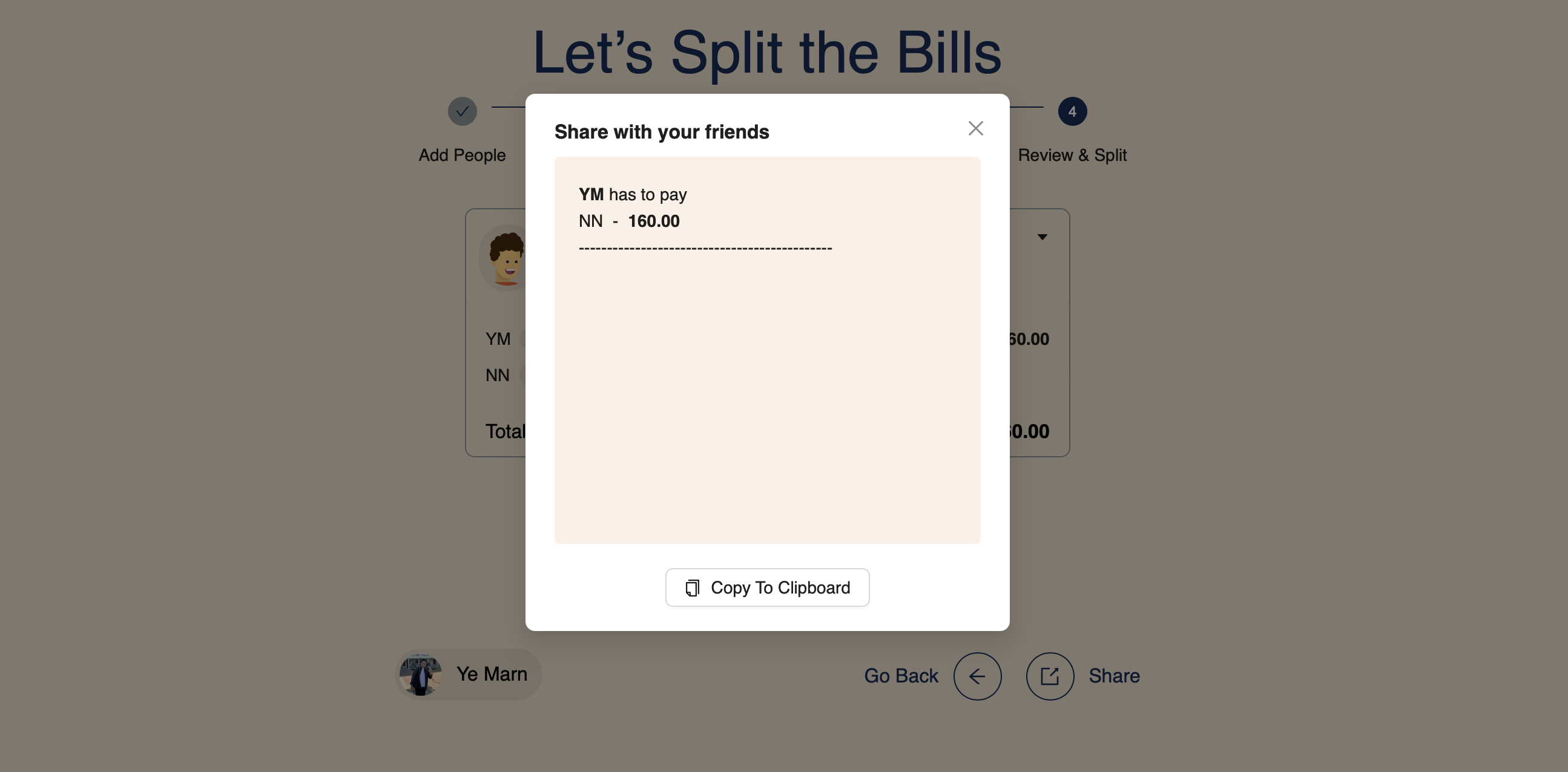
Step 4: You can share the result with the others by clicking on the Share Icon. Copy by clicking on the Copy To Clipboard Button. Now you can share the result in your friend group.
Technical Challenges
- Handling the UI/UX for the application
- Being a reliable application for my friends
- Authentication and security for the application
- Integrating with Gemini for the AI features
Key Features
- Split the bills within each other
- Scan the receipts with AI and generate the bill
- Easy to use and navigate
- Easy to share the result with the others
Key Achievements
- Ease of use
- Not needing to download the app
- Fully automated testing with Playwright
- Integrating with Gemini for scanning and generating the items from the receipts