Xlance Colelctive HR
Project Overview
This is the HR system that I have worked for my friend's company, Xlance-Collective. This system is integrated with Discord Bot, where the employees can check in, check out, take a break, resume working, etc from Discord. The project managers can handle the tasks and oversee the project from withing this system. The admins can see who has checked in to the system and who is working on which tasks from the dashboards.
Technologies Used
Insigit into HR System
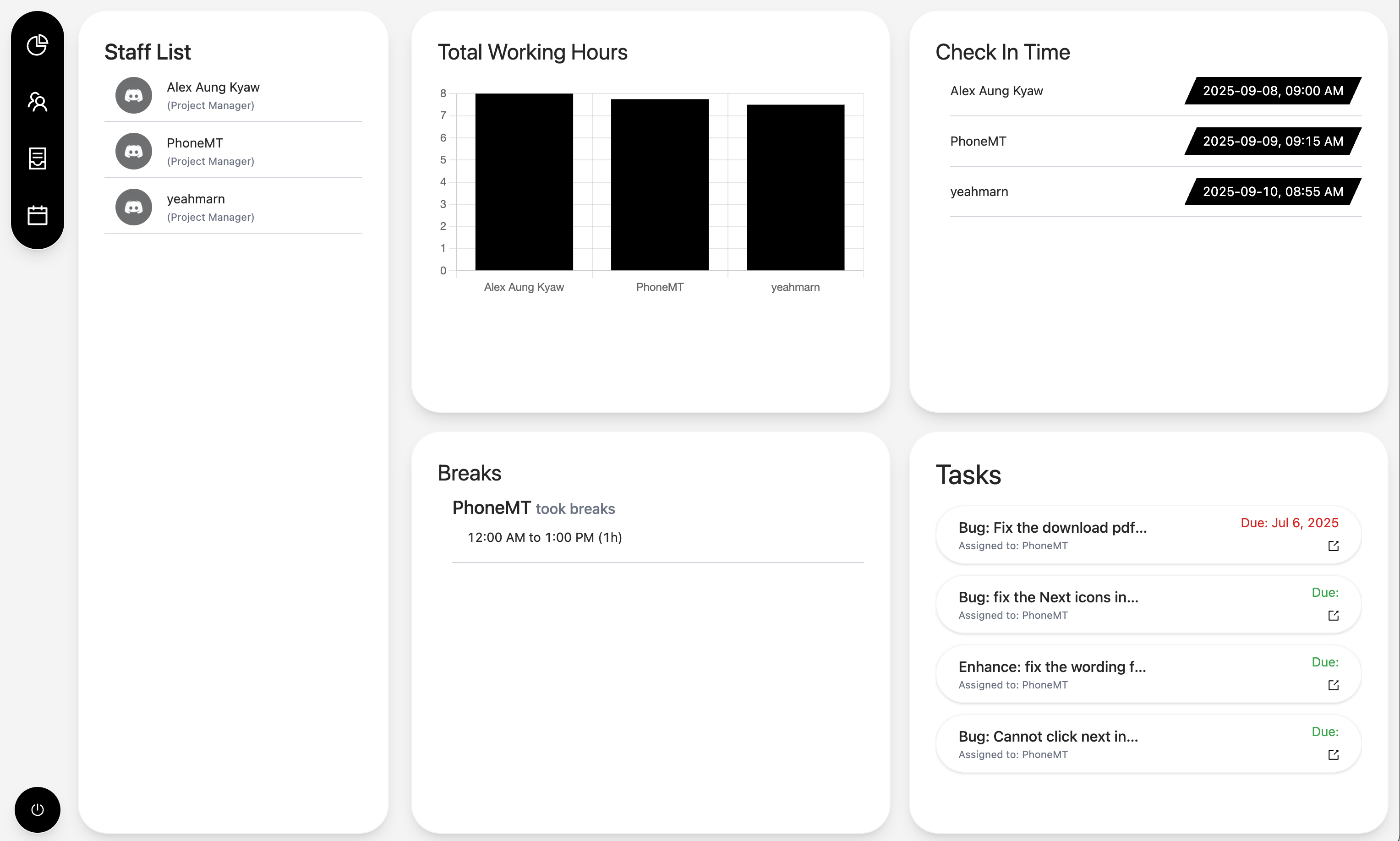
This is the dashboard page that only the project mangers can see. They can see the staff list and who has checked in to the system and started working. They can oversee the number of hours for each day. They can also see who is currently on the break.
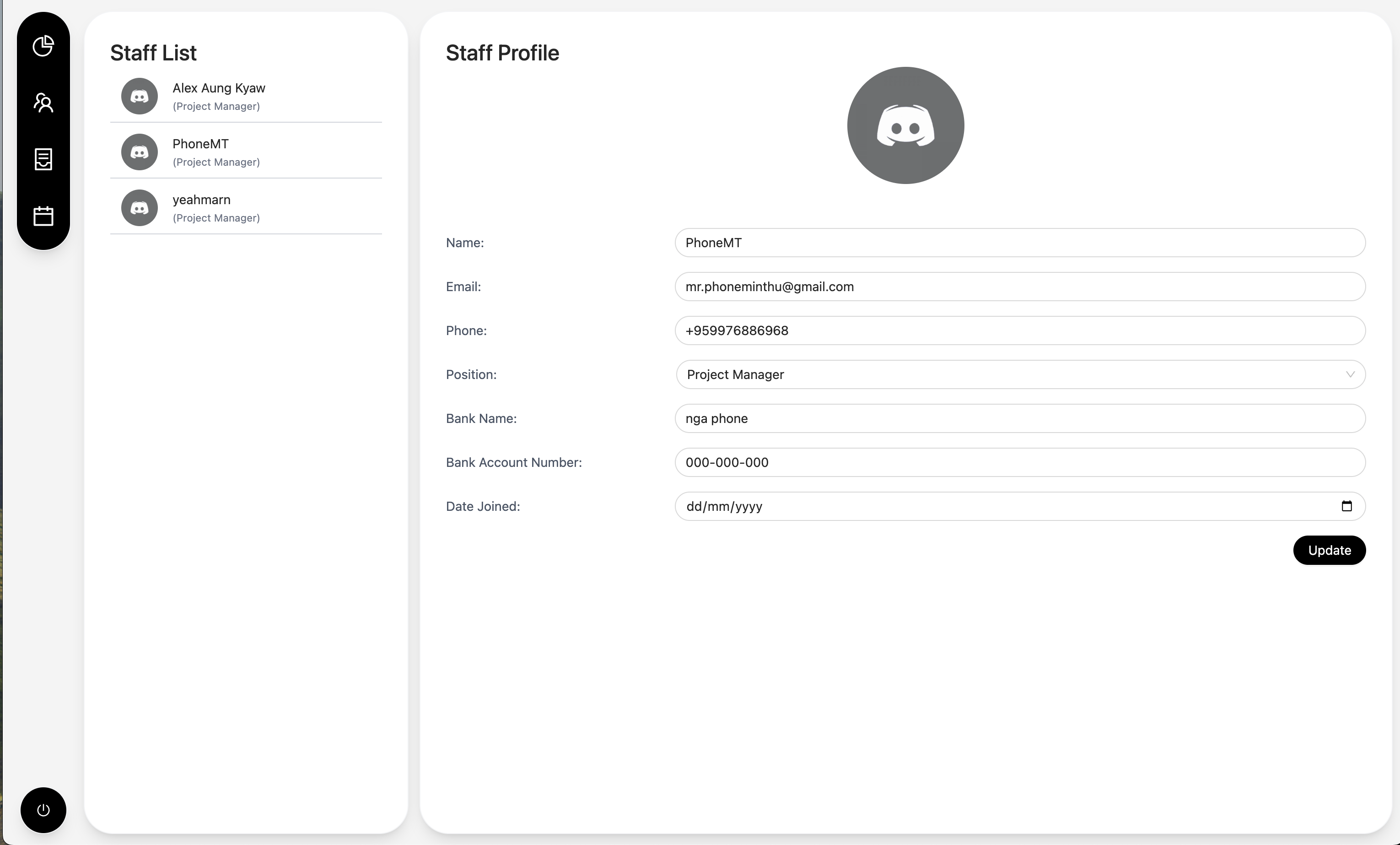
This is the staff list and detail page and only the project manager can see. When the project manager click on the staff name, they can see the details of the staff. They can also see their personal details and bank information.
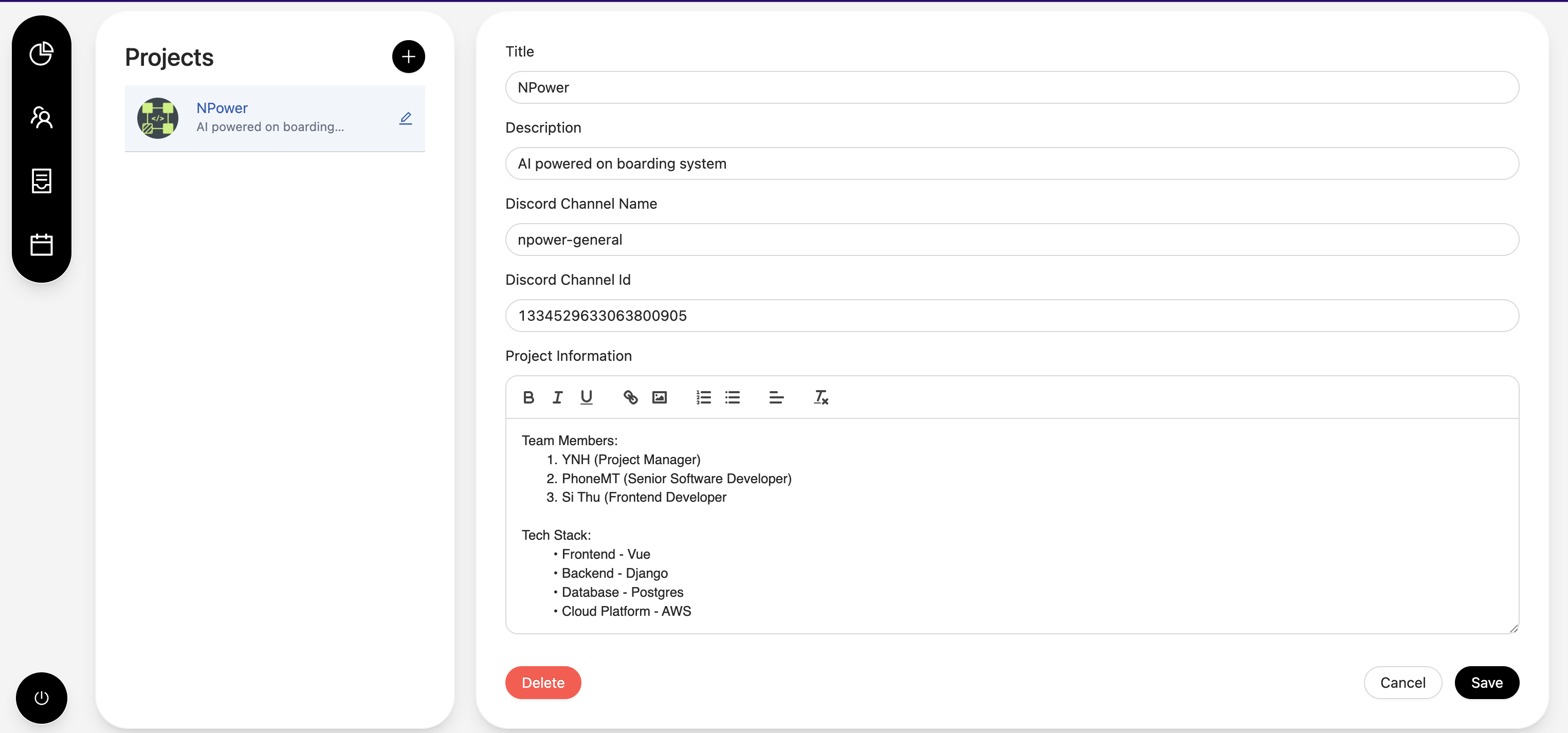
This is the project detail page. It is available for the project mangers to see. They can see and edit the project details like the members, connection to discords and manage tasks.
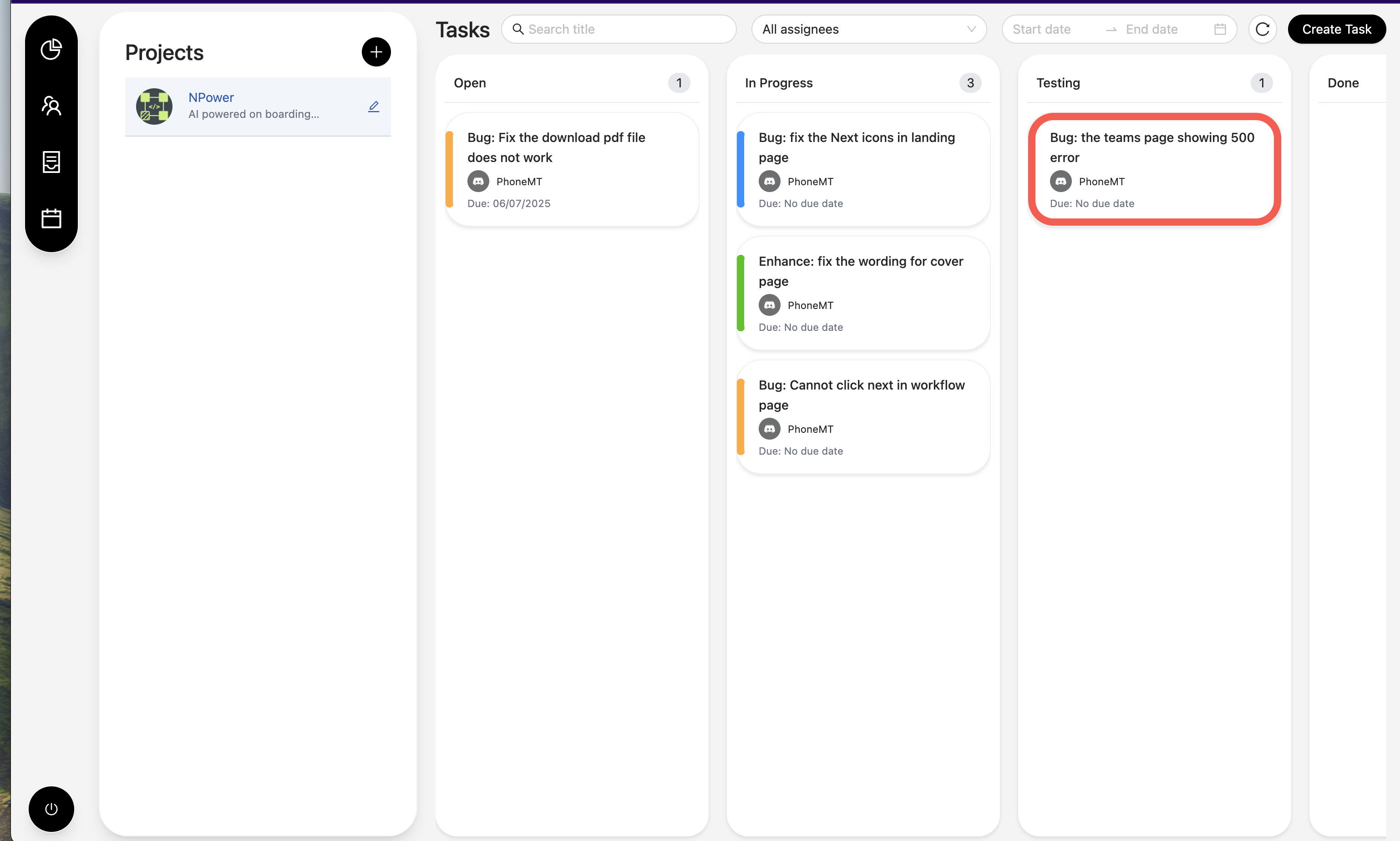
This is the project Kanban board. The project managers can create and assign tasks to the staff. They can also see the progress of the tasks. They can also create tasks from discord using commands and it will apprear on this page when the discord channel id is set up properly.
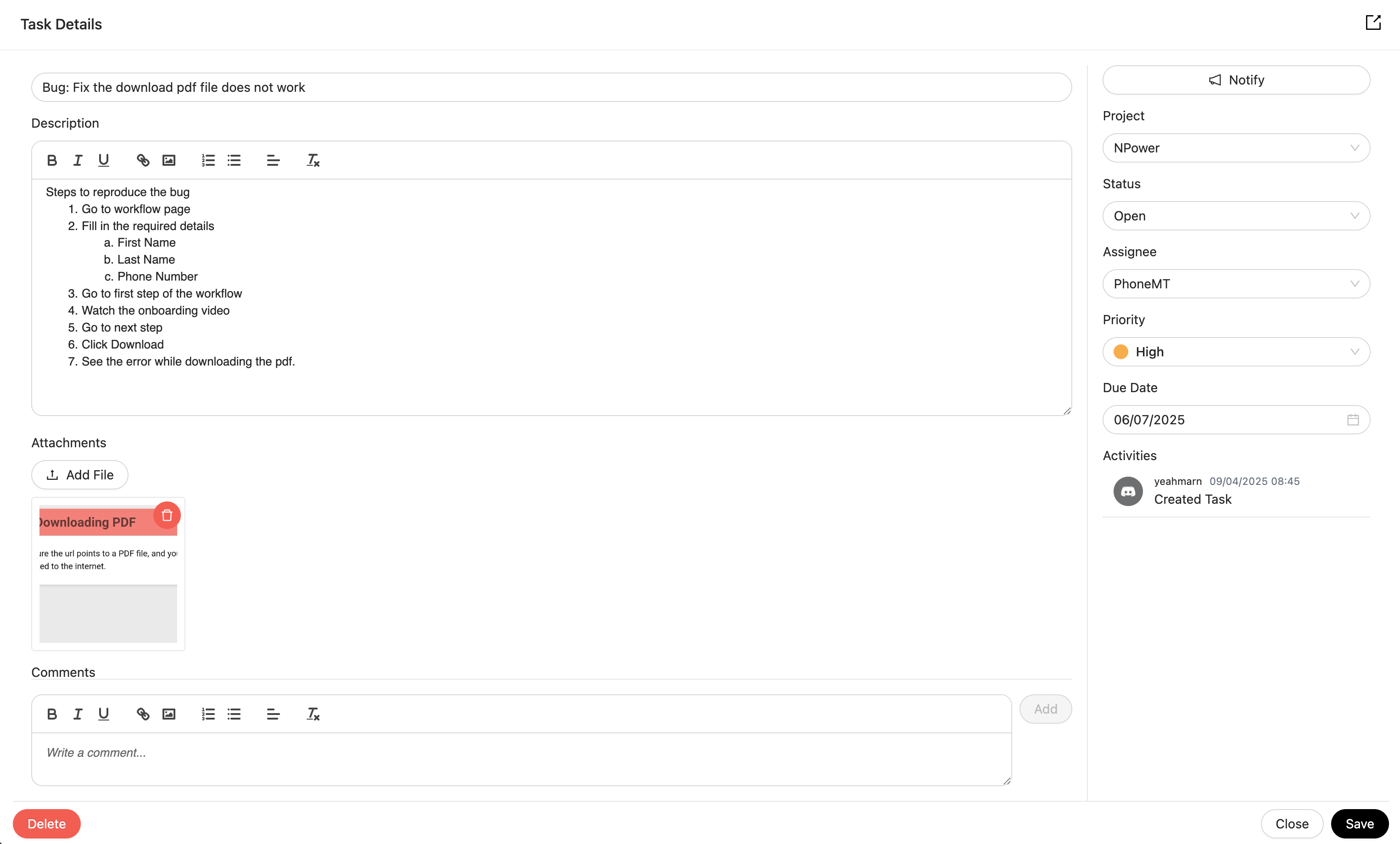
This is the task creation page. The project managers can create tasks for the staff. They can also edit and delete the tasks. They can also notify the staffs from here and it will send message to the staff via Discord.
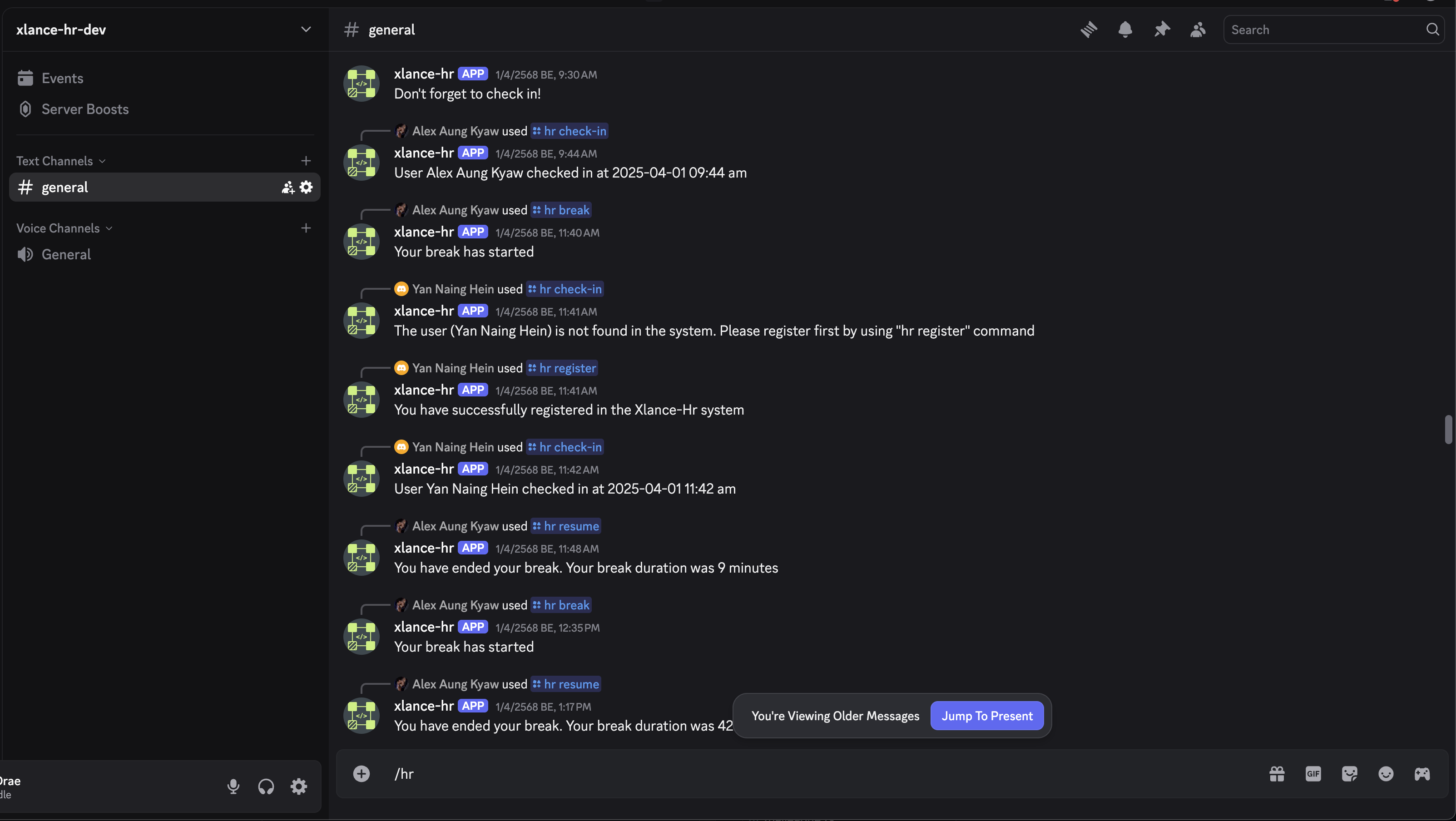
This is the discord channel where the employes can check in, check out, take a break, resume working, etc from Discord using commands.
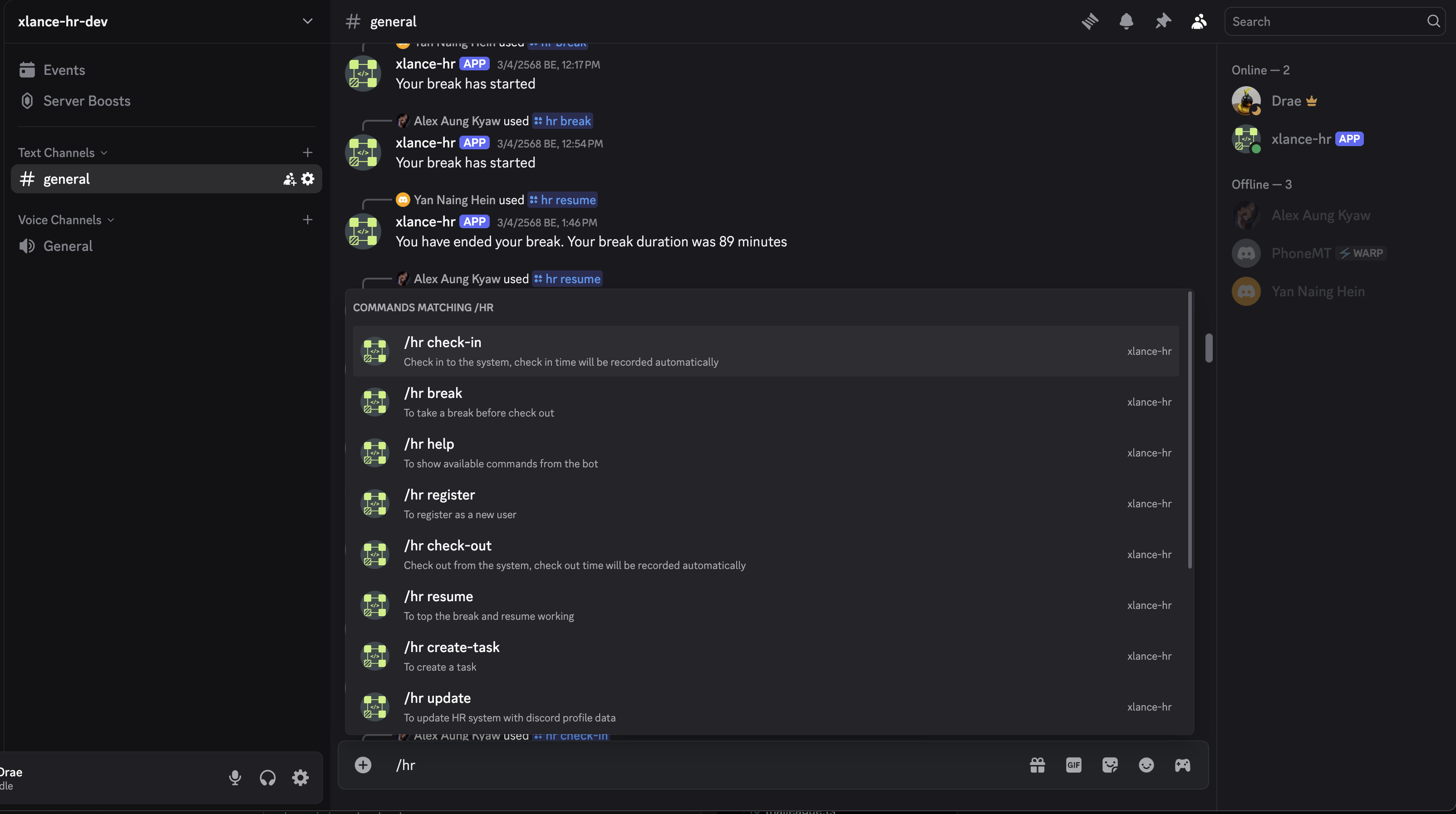
These are the available commands that the staffs and project managers can use to interact with the system. They can check in, check out, ask information about the system, create tasks and update profile information from Discord.
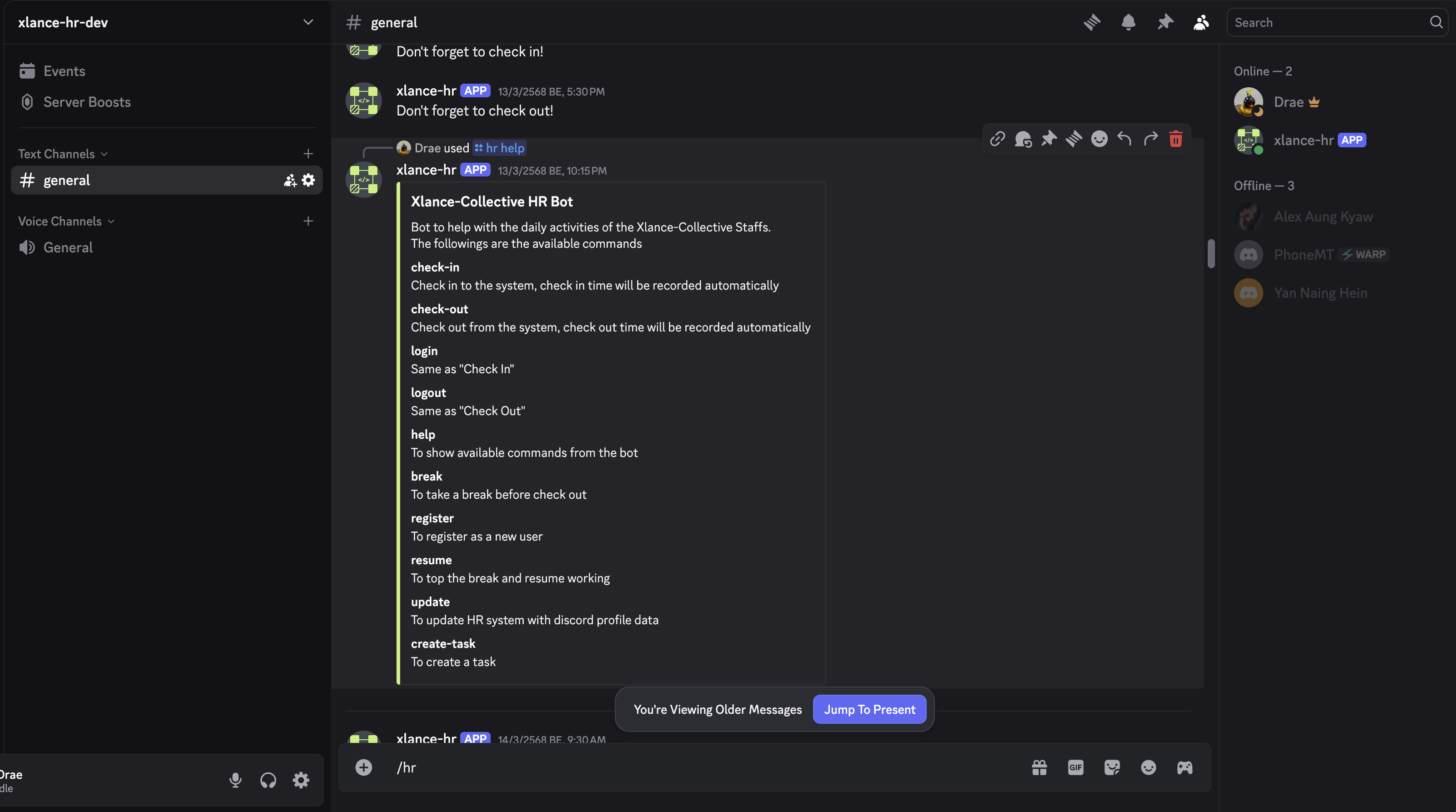
List of Commands that the staffs and project managers can use to interact with the system bot.
Technical Challenges
- Discord bot integration with Nest.js
- Task management system and synchronization via Discord
- Dashboard and reporting system
Key Features
- HR commands for checking in, checking out, taking a break, resume working, etc from Discord
- Task management and ease of use for the project managers
- Dashboard and reporting system for the admins
Key Achievements
- Ease of use for the project managers
- Can oversee the project and the staffs from the dashboard
- Can create tasks and assign to the staffs from the dashboard
- Can notify the staffs from the task details page.
- Can see the tasks and the progress of the tasks from the dashboard